Try the Christmas story preview before choosing what fits your family
Explore a fictional story and use a short card to decide which moments, if any, belong in your Christmas plans.

A map and Christmas messages might delight your child—or add more checking to a busy day. Spend a few minutes with the public preview and decide together. This fictional sample needs no account or family details, and its messages are not sent. The family app is not publicly available.
Follow the sample, then step back
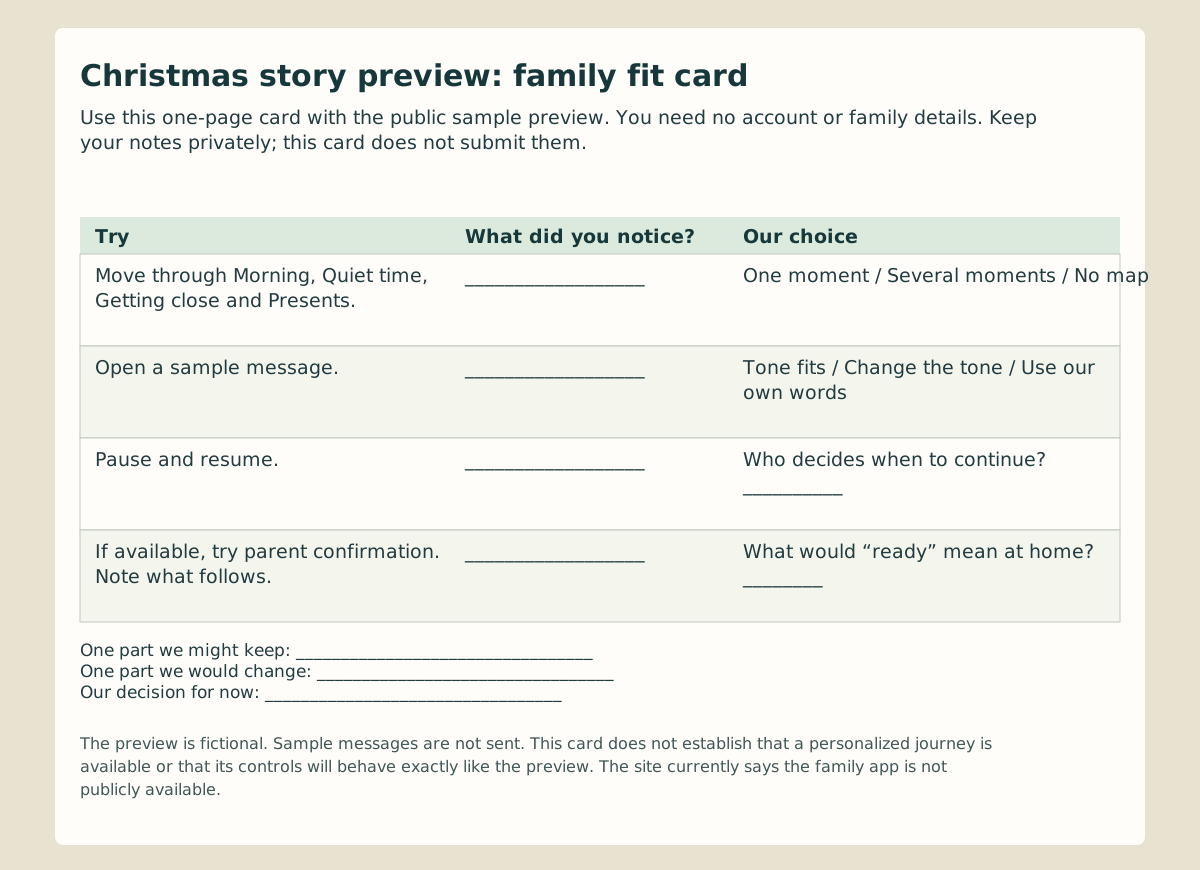
- Morning: Notice the map and first message. Would this be a welcome start, whether your family celebrates on Christmas Eve or Christmas morning?
- Quiet time: Open the sample message and consider its tone. It does not predict a message for your child.
- Getting close: Ask where one small shared moment could fit. You can prefer a single story moment to a sequence.
- Presents: Look at the parent confirmation and sample ending. The complete transition was observed in the US English preview, not separately tested in this Canadian edition.
Try Pause the story and then resume. In the observed US English preview, pausing prevents moving to another moment or confirming the ending. Check this edition as you go. That observation does not establish how a personalized journey would behave.
Keep what helps
The family fit card has four things to try and space for what you noticed. Write one detail to keep, one to change and a decision for now. There is no need to put a child's name or private story on the card.
The public page demonstrates sample moments and controls. It does not verify real scheduling, message delivery, account access or handling of family information. The site currently says the family app is not publicly available; a waiting list and launch date are not confirmed here. Explore the public preview and let your own plans lead.
What the public preview shows / What remains unverified for your family
| What the public preview shows | What remains unverified for your family |
|---|---|
| Imaginary landscape and sample moments | Your family’s destination, timing and details |
| Sample messages on the page; the preview says they are not sent | Actual message creation, approval and delivery |
| Pause and a parent-confirmed ending observed in the US preview | Real scheduling and end-of-journey behaviour |
| No account or family details needed on the preview page | Account availability and handling of family information |
 28
28 33
33